The night, counted.

Guest lists, QR tickets and a live tally for clubs, promoters and the door.

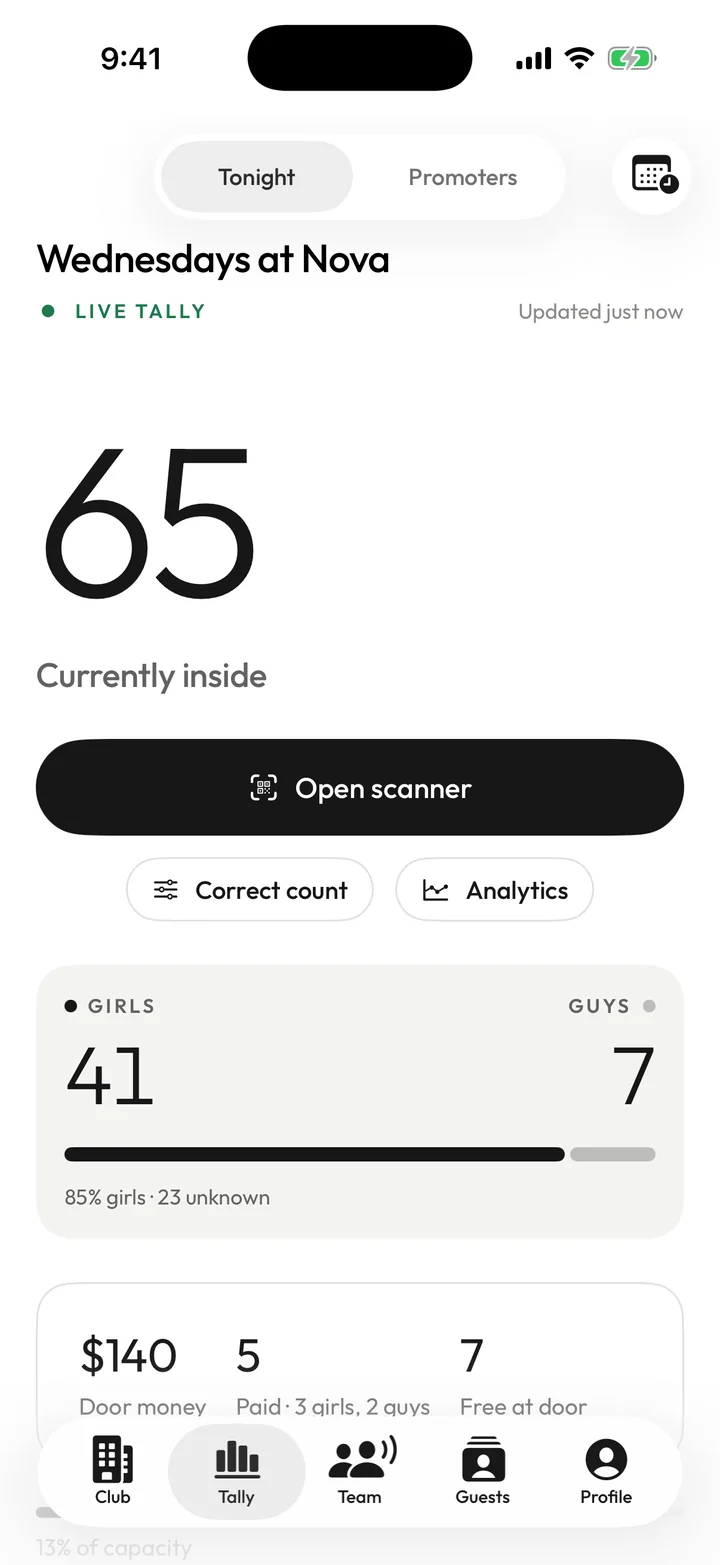
Tally's club dashboard: a live card for Wednesdays at Nova showing 41 girls, 7 guys and 65 inside, with $140 of door money tonight.

Live tally

Who’s inside, right now.

Every scan and every walk-in lands on one live number — for the owner, the door and the host. Girls and guys are split by ticket type, and the door money adds up beside it.

0 insideof 500
At the door

This is the door counter from the app. Give it a tap.

Girls Guys
0 0
Doors open $0 door money

How a night runs

One night, four sides.

The club sets it up, promoters fill the list, the door lets people in, and everyone watches the same count. One app — everyone gets their own dashboard.

01 — The club

Set the night up once.

Add your weekly nights and they run every week until you end them — each week with its own flyer. Make the ticket types you need, then decide exactly what each promoter can send.

  • Your ticket types and door prices — Girls GA, Guys Comp, VIP
  • Comps per promoter: a set number, or unlimited
  • The same every night, or different per night
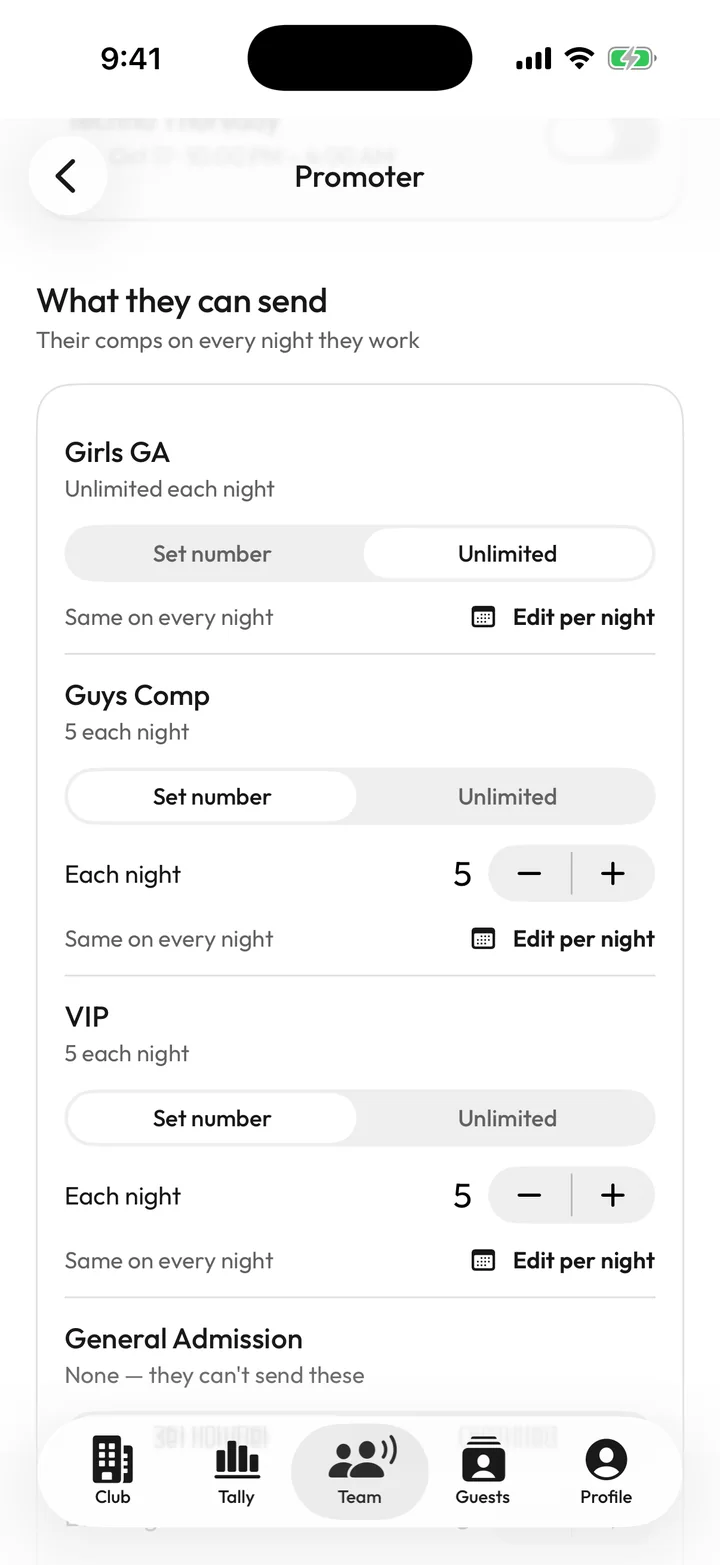
A promoter’s comps in Tally: Girls GA unlimited, Guys Comp 5 each night, VIP 5 each night, with Edit per night.

02 — Promoters

Fill the list in seconds.

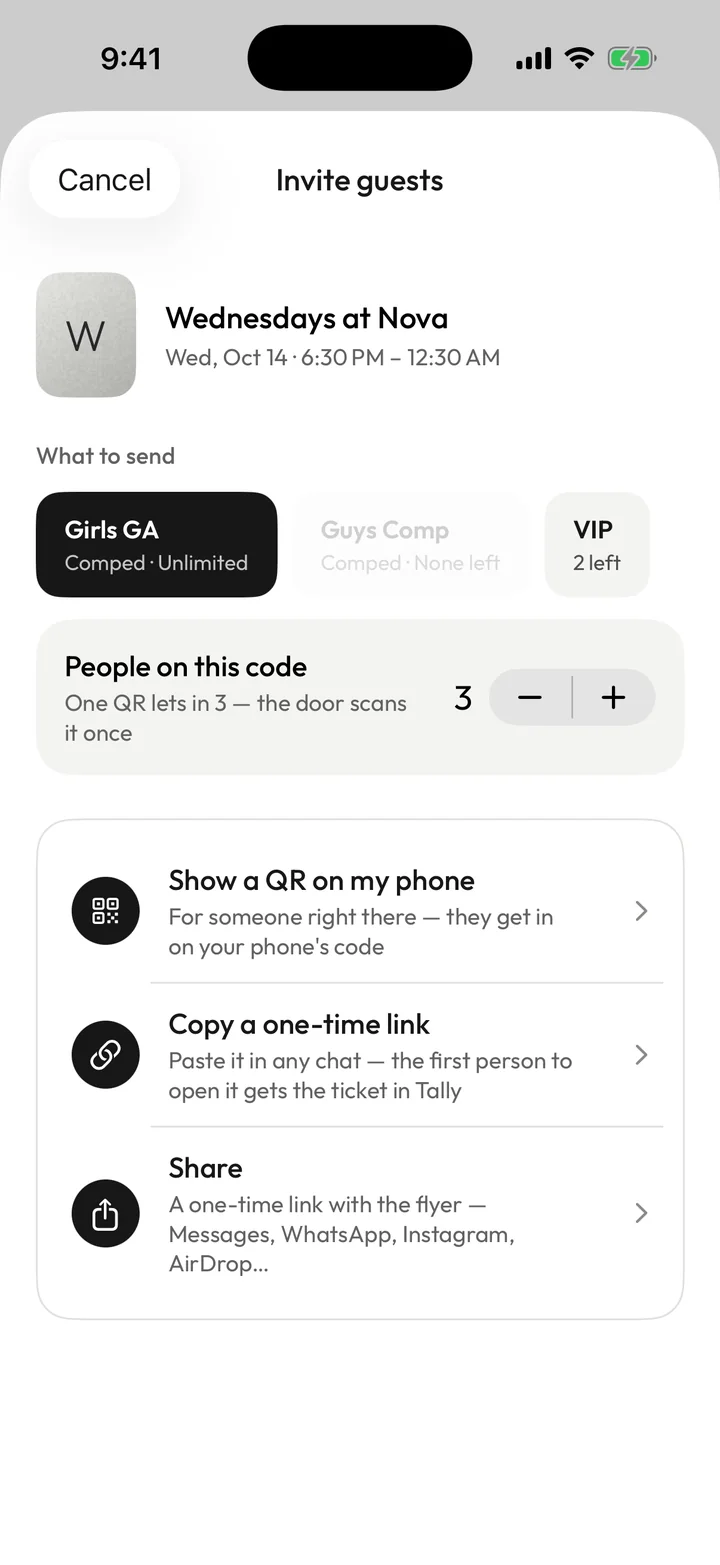
Promoters pick what to send and how many people it covers, then show a QR on their phone, copy a one-time link, or share it with the flyer — Messages, WhatsApp, Instagram, AirDrop.

  • A whole group on one code
  • Guests get a live ticket in the app
  • See who you sent — and who’s in
The Invite guests sheet: choose Girls GA, VIP or Guys Comp, set 3 people on one code, then Show a QR, Copy a one-time link, or Share.

03 — The door

Scan once. Let the group in.

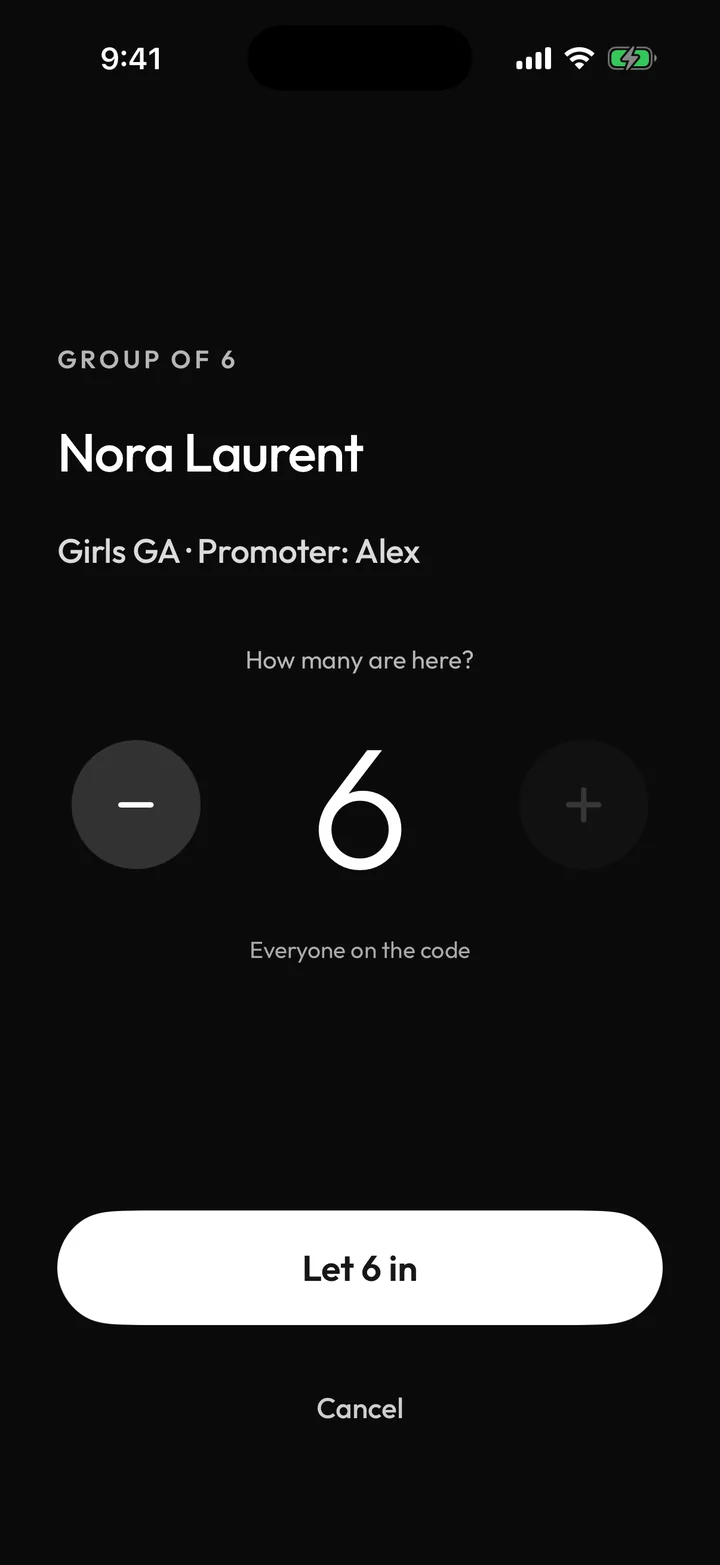
Every code works once. A group code asks how many are here and lets them in together; walk-ins are one tap, free or paid. The scanner runs dark, so it doesn’t light up the line.

  • Scanned twice? The door sees “Already checked in”
  • Count people out, or take them off
  • Search the list by name
The door scanner after scanning a group code: Group of 6, Nora Laurent, Girls GA from promoter Alex, with a Let 6 in button.

04 — The count

Watch the night add up.

Who’s inside, girls and guys, door money and how close you are to capacity — live, from anywhere. After the night, see which promoters actually brought people through the door.

  • Correct the count if the door misses one
  • Promoters ranked by who came, not who was sent
  • Door money tonight, this week and all time
The live tally: 65 currently inside, 41 girls and 7 guys at 85% girls, and $140 of door money.

No guesswork

Built for an honest door.

  1. Every code works once.

    QR codes, links and invite codes are used up the moment they’re claimed or scanned. A group code lets in the number on it — no more.

  2. Screenshots come out blank.

    The QR is left out of screenshots and screen recordings, and the ticket runs a live clock. Guests show it live from Tally.

  3. Comps have limits.

    Promoters can only send what you give them — per ticket type, per night. Change it whenever you like.

  4. Door money, on the record.

    Every paid entry is logged with its price as it happens, so tonight’s total is waiting when the lights come on.

Hosting an event in Tally, step 2 of 3: ticket types Girls GA and Guys GA, a price at the door, and up to 10 people per code.

For hosts

Not a club? Host a night.

Birthdays, rooftops, one-offs. Add the flyer, set your ticket types and door prices, then bring in promoters and a door team. The same live tally — for one night, or an event that runs a few days.

  • Flyer on every inviteIt goes out with each link you share.
  • Free shows as compedLeave the price empty and the ticket says so.
  • An address only guests seeWhere it is stays with the people on the list.

Run your next night on Tally.

  1. 01

    Download Tally

    Continue with Apple, or create an account with your email.

  2. 02

    Set up your club or event

    Switch to Club for weekly nights, or Host for a one-off.

  3. 03

    Send your team a code

    Promoters and door staff enter it when they sign up and land straight on their dashboard.